GPS & QR code time clock app for your team.
No badge. No hardware.
Just the phone they already have.
NoBadge is an employee time tracking app for small and medium businesses. Staff clock in and out from their own smartphone with GPS or a dynamic QR code — no badge readers, no terminals, no app store. Setup takes 2 minutes, data stays on EU servers and you pay €5,04 per active user per month.
No credit card · No contract · Live in 2 minutes

NoBadge in 86 seconds
From the first clock-in to the payroll export: see how your team clocks in by GPS or QR code and what the manager sees.
1 min 26 s · easy to follow even without sound
Watch the full demo · 2 min 38Your employees already carry the time clock. It's the phone in their pocket.
A badge terminal costs €800–€2,000 before installation, breaks on dusty sites and still lets one employee clock in for another. Paper and Excel cost a 20–30 person business an estimated €12,000–€14,000 a year in admin hours and payroll errors. NoBadge turns every employee's smartphone into a verified time clock — with location checks for field teams and a rotating QR code for fixed sites.
How clocking in works with NoBadge
Employees open NoBadge in their phone browser — it is a Progressive Web App, so nothing to download. Then they clock in with GPS, with the QR code at the entrance, or both.
The employee taps Clock in. NoBadge records the position and the time at that moment only, and checks it against the geofence radius you set for each site — tight for a shop, wider for a building site.
How the GPS time tracking app worksShow the NoBadge QR code on a tablet or screen at the door. The code changes every few seconds, so a photo or screenshot sent to a colleague quickly stops working. No terminal, no reader, no wiring.
See the QR code time clockWho is in, who is late, who forgot to clock out: managers see it in real time, with overtime, absences and leave requests calculated and approved in the same place.
At month end, export timesheets to Excel for your payroll provider or accountant. Hours, overtime, leave and sick days are already totalled — nothing to retype, nothing to chase.
A GPS time clock with location-falsification safeguards
No browser-based app can promise a 100% tamper-proof location, so NoBadge does not rely on GPS alone. It layers several checks and gives you a second, on-site method for the places where you need certainty.
- Geofence for every siteSet a radius per location. A clock-in outside the allowed zone is refused: the phone shows the map and a retry button.
- Position and time on recordStored with every clock-in and visible to the admin. Only the admin can correct a clock-in, always with a note.
- Position recorded at clock-in onlyEvery punch stores where it happened, so you can review it. There is no continuous tracking during the shift.
- Dynamic QR for physical presenceThe code exists only on the screen at your entrance and changes every few seconds. Combine it with GPS for the strongest proof.
Location is collected only at the moment of clock-in, in line with GDPR data-minimisation rules. Read our guide on GDPR and employee time tracking.
Badge terminal vs. paper vs. NoBadge
What actually changes when the time clock moves to your employees' phones.
| Badge terminal | Paper / Excel | NoBadge | |
|---|---|---|---|
| Hardware | €800–€2,000 per terminal, plus installation | None | €0 — employees use their own smartphone |
| Setup time | Days, with an installer | Immediate, but manual forever | 2 minutes, invite staff by WhatsApp or email |
| Clocking for a colleague | Possible with a lent badge | Easy to fill in for others | Harder: rotating QR code plus GPS checks |
| Field and remote workers | Not covered | Hand-written, after the fact | GPS clock-in on site, any location |
| Payroll | Export module often extra | Retyped every month | One-click Excel export |
| Cost model | Licence + maintenance | ~10 admin hours a week | €5,04 per active user / month |
Built for teams that don't sit at a desk
From building sites to restaurant kitchens, NoBadge works wherever your people clock in.

Construction
GPS clock-in on every site, no reader exposed to mud and rain.
Time tracking for construction
Hospitality
Split shifts and part-time staff, clocked in with the QR code at the door.
Time tracking for hospitality
Cleaning
Teams spread across client premises, each visit confirmed by GPS.
Time tracking for cleaning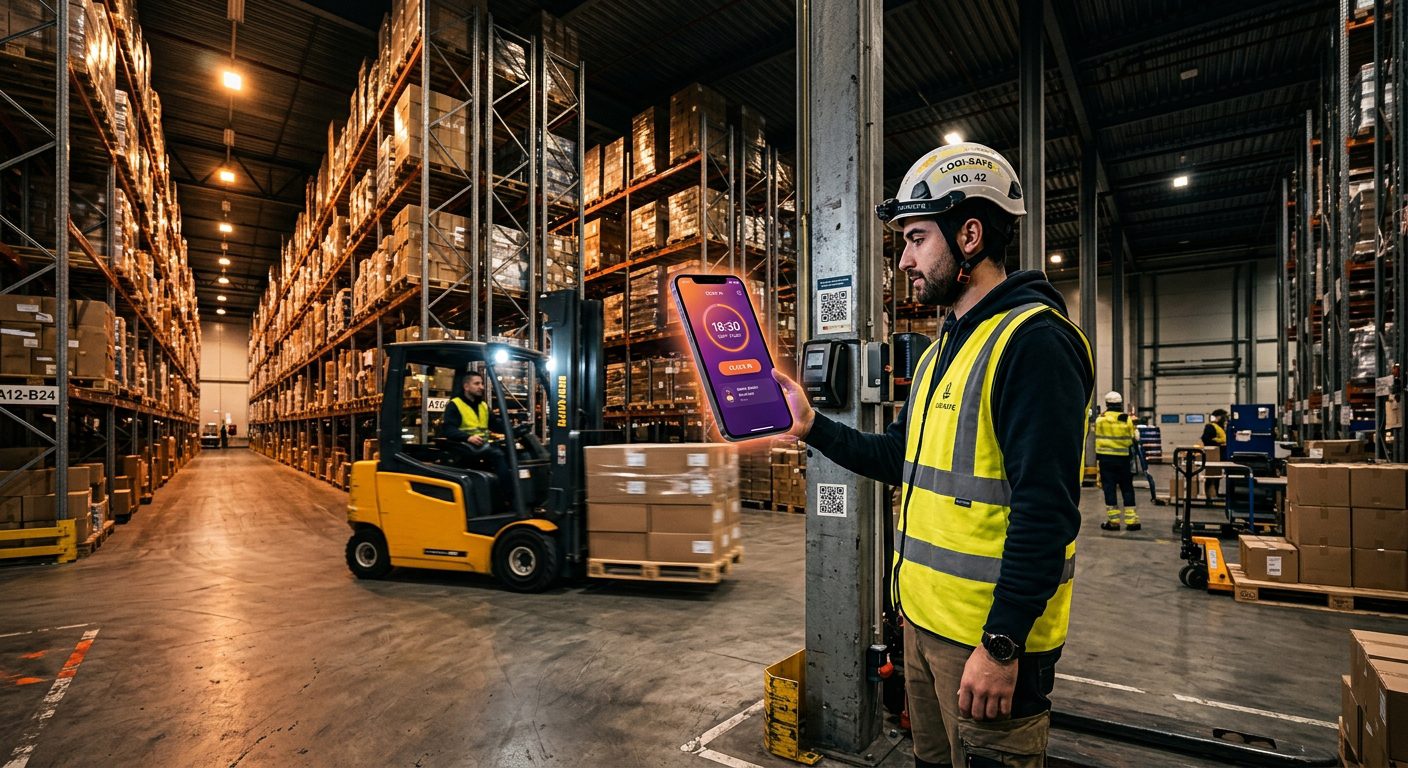
Manufacturing
QR code at the factory gate, shift changes and overtime tracked live.
Time tracking for manufacturingAlso used by retail chains, logistics depots, care homes, wellness centres, schools and professional offices.
Working-time records that stand up to inspection
Across Europe, accurate records of working hours are a legal duty, not a nice-to-have. NoBadge keeps timestamped logs automatically, on EU servers.
Employers must keep adequate records of hours worked. Read the Working Time Regulations UK guide.
German employers must record the full working time of each employee. NoBadge records are DSGVO compliant.
A daily clock-in and clock-out record is mandatory, with fines up to €6,250 for missing records.
Hours, overtime, paid leave and RTT tracked automatically, in line with RGPD.
Timesheets (foaia de pontaj) generated automatically and ready for labour inspections.
Data hosted in the EU, location captured only at clock-in, roles for admins, managers and employees.
SMEs that dropped the badge
“On building sites nobody has time for complications. Our workers clock in from their phone and we monitor everything in real time. No badge, no hardware.”
SLSilviu LascuOwner, Sistad Italia
“We simplified attendance for teachers, tutors and admin staff across several sites. We save hours every week compared with the old Excel sheets.”
CQClaudio QuerelanteDirector, Accademie AIEM
“Flexible shifts, changing staff — it was a mess. With NoBadge everything is simpler. I recommend it to every wellness and beauty centre.”
CMCrigan MicheleOwner, Crigan Massaggi
One plan. Every feature. Only active users.
The price per user never changes, but your monthly total does: NoBadge bills only the employees who actually clock in that month. Seasonal staff, part-timers or someone on leave for the whole month cost nothing.
€5,04
per active user / month · all features · billed monthly
Your bill follows your team, month by month
Nobody clocks in that month? You pay €0.
- GPS clock-in with geofence per site
- Dynamic QR code clock-in
- Leave, sick days and absence management
- Live dashboard and one-click Excel export
- Unlimited sites, EU servers, GDPR compliant
50+ employees? Ask for custom pricing · Full pricing details
GPS and QR code time clock: your questions
A GPS time clock app lets employees clock in and out from their smartphone, recording the time and their position at that moment. NoBadge checks the position against a geofence radius set for each workplace, so managers know staff started work on site — without badge readers or terminals.
You display the NoBadge QR code on a tablet or screen at the entrance. Employees scan it with their phone to clock in or out. The code changes every few seconds, so a photo or screenshot shared with someone who is not there cannot be reused.
No smartphone app can guarantee a 100% tamper-proof location. NoBadge reduces the risk with location-falsification safeguards: a geofence per site that refuses clock-ins outside the site area, the recorded position and time of every clock-in, and corrections only by the admin, with a note. Where you need proof of physical presence, add the dynamic QR code at the entrance.
No. NoBadge is a Progressive Web App: employees open it in the browser of any Android phone or iPhone and can add it to the home screen. There is no app store download and no update to manage.
Yes, when it is proportionate and transparent. NoBadge collects location only at the moment of clock-in, never during the shift, and hosts all data on EU servers. Inform employees in your privacy notice and follow any local rules on workplace monitoring.
One plan with every feature: €5,04 per active user per month. The monthly total follows your team: if 10 employees clock in this month you pay for 10, and if only 2 clock in next month you pay for 2. No hardware, no setup fee, no contract. The 15-day trial needs no credit card.
Your team's time clock is already in their pocket.
Create your account, invite your team and see the first clock-in in under 2 minutes. 15 days free, no credit card, no hardware.
No contract · Cancel anytime · EU hosted · GDPR compliant