- Home
- Industries
- Manufacturing
Factory time clock app with QR code clock-in at the gate
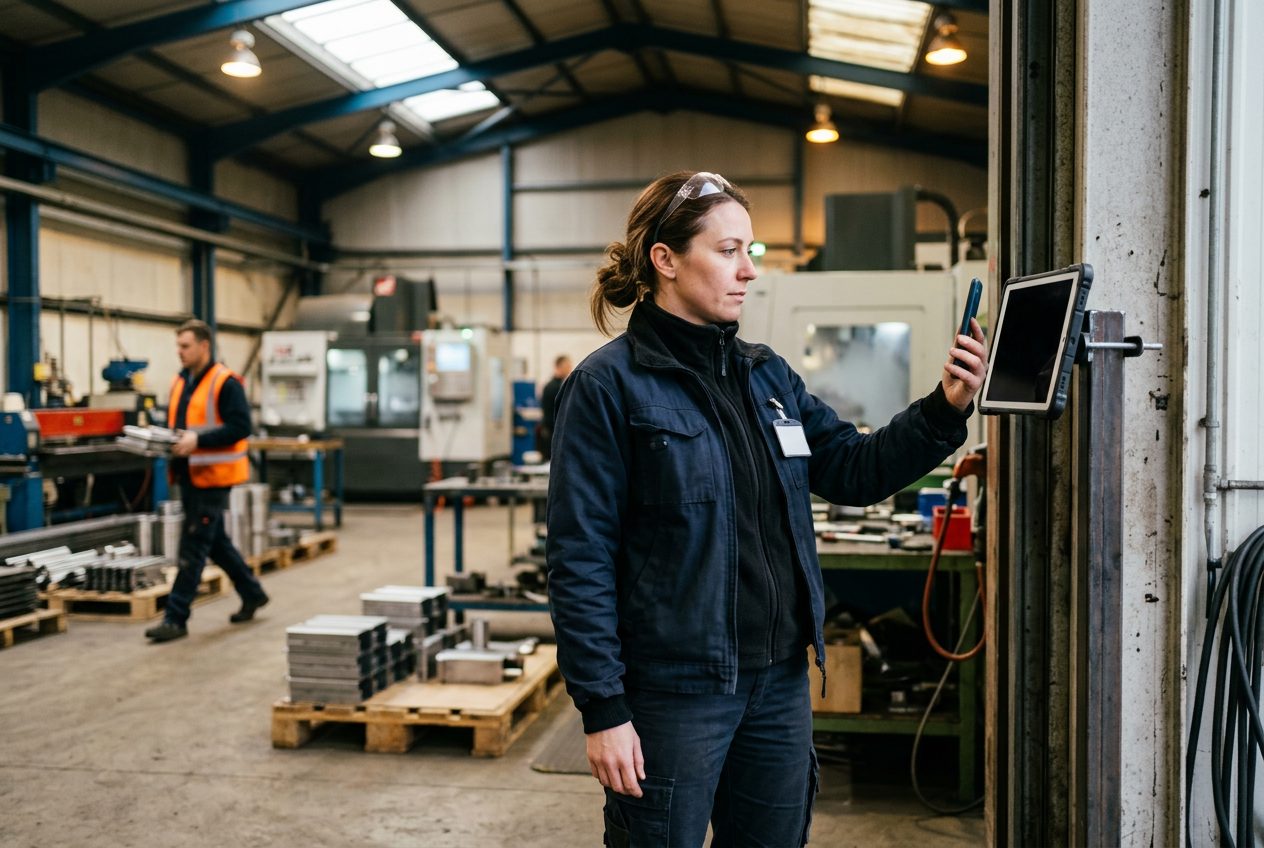
NoBadge is a QR code time clock for factories, depots and production sites. A screen at the gate shows a code that changes every few seconds; operatives scan it with their own phone at the start and end of each shift, and NoBadge totals hours and overtime for payroll. No terminals, €5,04 a month for each operative who clocks in.
Why shift attendance costs factories more than it should
Early, late and weekend shifts, overtime at the end of the month and a clocking machine that nobody wants to maintain.
Clocking machines and badges
A badge terminal costs €800–€2,000 per entrance before installation. Badges get lost, and a colleague can clock in with a borrowed one.
Overtime added up by hand
Totalling shifts and overtime before payroll takes hours. Manual timesheets carry an error rate of around 15%, worth €1,500–€2,000 a year for a 20–30 person business.
Absences found mid-shift
When nobody knows who has not arrived, a missing operative is noticed only when the line is already short-handed.
A QR code time clock at the factory gate
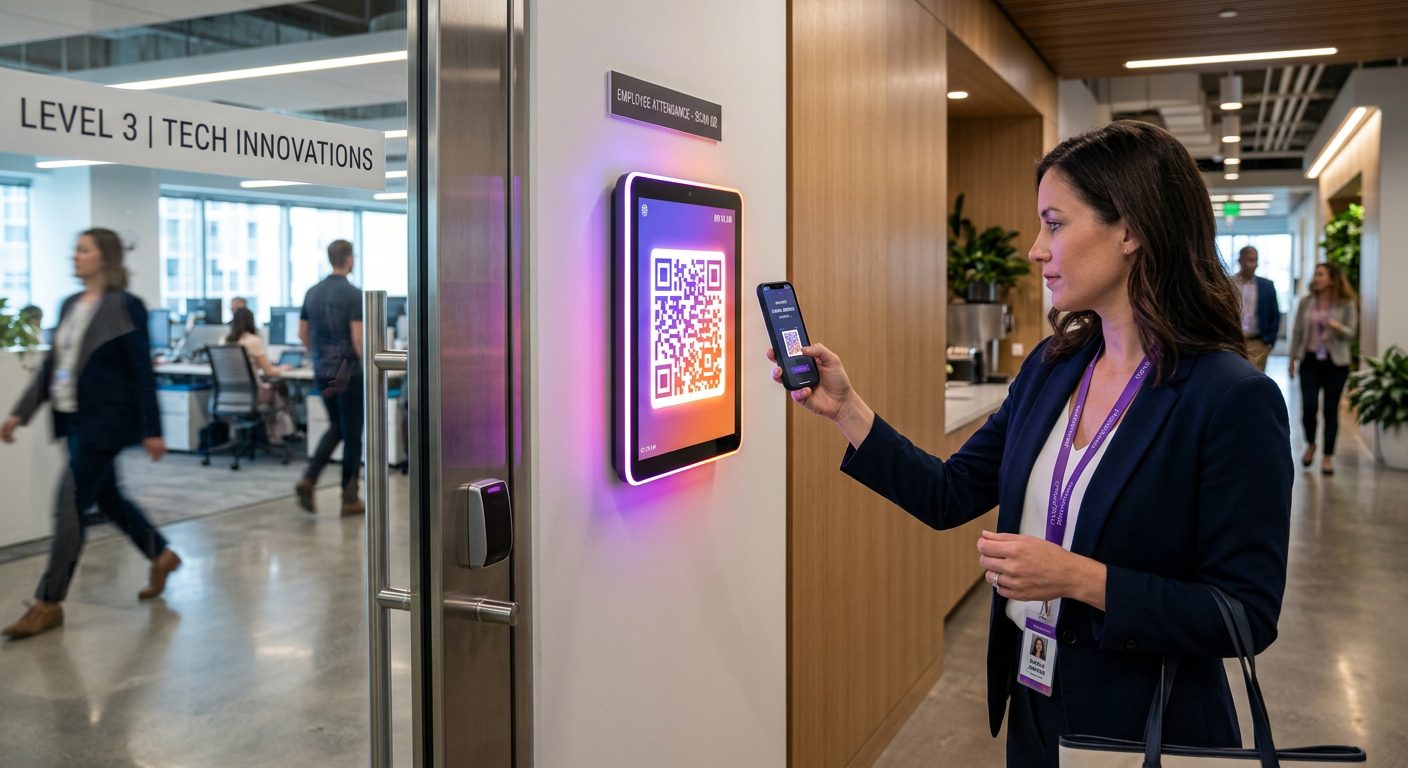
Everyone enters through the same gate, so the QR code time clock is the natural method for production sites. A tablet or monitor you already own replaces the clocking machine.
Open the QR screen at the gate
Any tablet or screen at the entrance or the changing room shows the NoBadge code.
Operatives scan at shift start and end
With their own phone, in the browser. The code changes every few seconds, so a photo of it is useless later.
Hours and overtime totalled
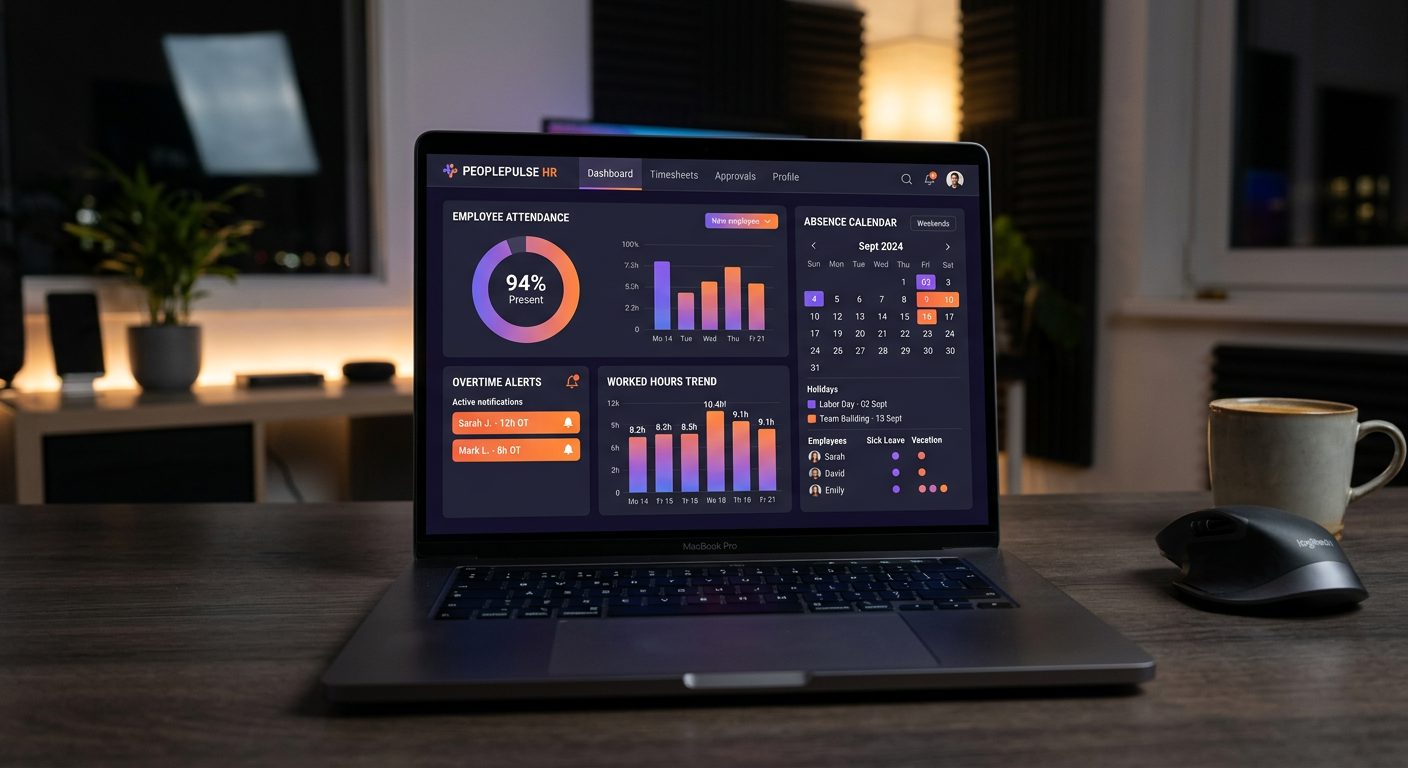
Time stored with every clock-in; hours, overtime and absences exported to Excel in one click.
QR code time clock vs clocking machine vs paper sign-in
What changes on a production site when the clocking machine is replaced by a QR code on a screen.
| NoBadge QR code | Badge clocking machine | Paper sign-in sheet | |
|---|---|---|---|
| Hardware per gate | Any tablet or screen you already own | €800–€2,000 per terminal, plus badges | Clipboard and pen |
| Clocking in for a colleague | Code changes every few seconds, own phone and account | Possible with a borrowed badge | Anyone can write a name |
| Overtime | Calculated automatically | Depends on the software behind it | Added up by hand |
| Several plants or depots | Unlimited sites, one dashboard | One terminal per entrance | Sheets to collect from each site |
| Drivers and field technicians | GPS clock-in with a geofence per site | Must come back to the terminal | Hours written from memory |
Shift hours and overtime without the month-end spreadsheet
NoBadge cuts attendance admin by around 70%, from about 10 hours a week to 2–3 hours, for a 20–30 person business.
Every shift on the record
Early, late or weekend: each clock-in and clock-out is stored with its time and date; only the admin can correct it, with a note.
Overtime calculated for you
Hours and overtime are totalled automatically per employee and exported to Excel in one click.
Missed clock-in alerts
Supervisors are alerted when someone has not clocked in, so cover can be arranged before the line slows down.
Everything a production manager needs, included
Live shift dashboard
See who is on site, who is late and who forgot to clock out, for every plant and depot.
GPS for people on the road
Drivers, installers and maintenance technicians clock in by GPS at the site they work on.
GPS time trackingLeave and absences
Holiday and sick leave requested from the phone and approved with one tap, with push notifications.
Leave managementUnlimited sites
Plants, warehouses and depots in one account, each with its own clock-in point and reports.
Roles for every level
Admin, manager and employee roles, so everyone sees what their job needs.
Payslips and contracts
A document archive where each operative finds their own payslips and contracts.
Working time records for shift workers
Under the Working Time Regulations 1998, UK employers must keep adequate records of working hours, including the 48-hour weekly limit. Across the EU, the ECJ ruling C-55/18 requires a system that records daily working time for every employee.
- Timestamped clock-in and clock-out for every shift and operative
- Overtime calculated automatically
- Records on EU servers, exportable whenever you need them
- No location tracking during the shift
Read the Working Time Regulations UK guide.
Manufacturing time tracking pricing: pay only for who clocks in
The price per user never changes, but your monthly total does: NoBadge bills only the employees who actually clock in that month.
€5,04
per active user / month · all features · billed monthly
Your bill follows your team, month by month
Nobody clocks in that month? You pay €0.
- GPS clock-in with geofence per site
- Dynamic QR code clock-in
- Leave, sick days and absence management
- Live dashboard and one-click Excel export
- Unlimited sites, EU servers, GDPR compliant
No credit card · No contract · 50+ employees? Ask for custom pricing
Manufacturing time tracking: frequently asked questions
You open the NoBadge QR screen on a tablet or monitor at the gate or changing room. The code changes every few seconds. Operatives scan it with their own smartphone at the start and end of each shift, and NoBadge records the time on its server. You need no clocking machine and no badges, only a screen.
It becomes much harder than with badges. The QR code changes every few seconds, so a photo sent to someone who is not at the gate stops working almost at once. Each operative clocks in from their own account on their own phone, and every record carries the time for the supervisor to review.
Yes. NoBadge totals hours worked and overtime automatically from each clock-in and clock-out, per employee. At month end you export hours, overtime and absences to Excel in one click and send the file to payroll, instead of adding up shift sheets by hand.
Yes. NoBadge includes unlimited sites at no extra cost. Each plant or depot can have its own QR clock-in point, while drivers and field technicians clock in by GPS with a geofence per site. Managers see every location on one dashboard, with reports for each site.
No. NoBadge is a Progressive Web App that runs in the browser of any Android phone or iPhone. Operatives receive a link on WhatsApp or by email and can scan the QR code at their next shift. There is no app store download and no software to install on the factory network.
€5,04 per active user per month, all features included. The total follows your workforce: if 40 people clock in during a busy month you pay €201,60; if 30 clock in the next month you pay €151,20. Temporary staff cost nothing in months they do not clock in. Teams of 50 or more can ask for custom pricing. See the pricing page.
More industries, features and help
Construction
GPS clock-in with a geofence per site, saved on the phone when there is no signal.
Time tracking for constructionHospitality & restaurants
A QR code at the staff door, with hours and overtime totalled automatically.
Time tracking for hospitalityCleaning companies
A GPS site for every client location, with hours per client and per cleaner.
Time tracking for cleaningLogistics & warehouses
A QR kiosk at each warehouse entrance and GPS clock-in at the depot for drivers.
Time tracking for logisticsRetail & shops
One QR or PIN kiosk per shop, with shifts published straight to staff phones.
Time tracking for retailAgriculture & farms
Fields as wide GPS sites, offline clock-in and a PIN kiosk for staff without a smartphone.
Time tracking for agricultureHealthcare & care homes
Shift planning, a QR or PIN kiosk at the staff entrance and leave approved in the app.
Time tracking for care homesEvents & catering
A GPS site for every venue and a QR kiosk at the staff entrance.
Time tracking for eventsProfessional services & offices
A QR code at the office door and free clock-in for hybrid work.
Time tracking for officesHome care & social services
A GPS site for each client's home, with no tracking between visits.
Time tracking for home careSecurity services
GPS or a QR kiosk at every guarded site, with 24/7 rotas.
Time tracking for securityAll industries
Compare the clock-in modes and see which one fits each kind of workplace.
Time tracking by industryReplace the clocking machine at your gate with a QR code today.
Create your account, invite your team and see the first clock-in in under 2 minutes. Free trial, no credit card, no hardware.
No contract · Cancel anytime · EU hosted · GDPR compliant